
Sanso
Your Apple Watch already measures blood oxygen every night.
Sanso surfaces that data every morning — automatically.
No new habits. Just wear your watch to bed.

Do any of these sound familiar?
If even one applies to you, your blood oxygen levels might be worth checking.
Daytime sleepiness you can't shake
Drowsy even after a full night's sleep
Waking up tired every morning
No matter how long you sleep, still exhausted
Persistent brain fog
Difficulty concentrating, feeling mentally slow
Dry mouth in the morning
A sign you may be breathing through your mouth
Morning headaches
Oxygen deprivation during sleep can cause these
You've been told you snore
A partner or family member has mentioned it
Are you writing these symptoms off as stress or aging?
The answer might already be in your Apple Watch data.
Blood oxygen drops during sleep.Are you aware?
Repeated drops in blood oxygen during sleep are one of the hallmarks of sleep apnea. It's estimated that nearly 1 billion people worldwide are affected — and the vast majority have no idea.
1B+
people affected globally
80%+
undiagnosed
3x
higher cardiovascular risk
Sanso surfaces your Apple Watch SpO2 data and alerts you to patterns worth paying attention to. Start by simply seeing your own data.
* Sanso is not a diagnostic tool for sleep apnea. If you notice concerning patterns, please consult a healthcare professional.
Have you ever looked at
your Apple Watch SpO2 data?
Your Apple Watch records your blood oxygen every night.
Most people never see it.
Sanso brings that data to the surface — every morning.
The app
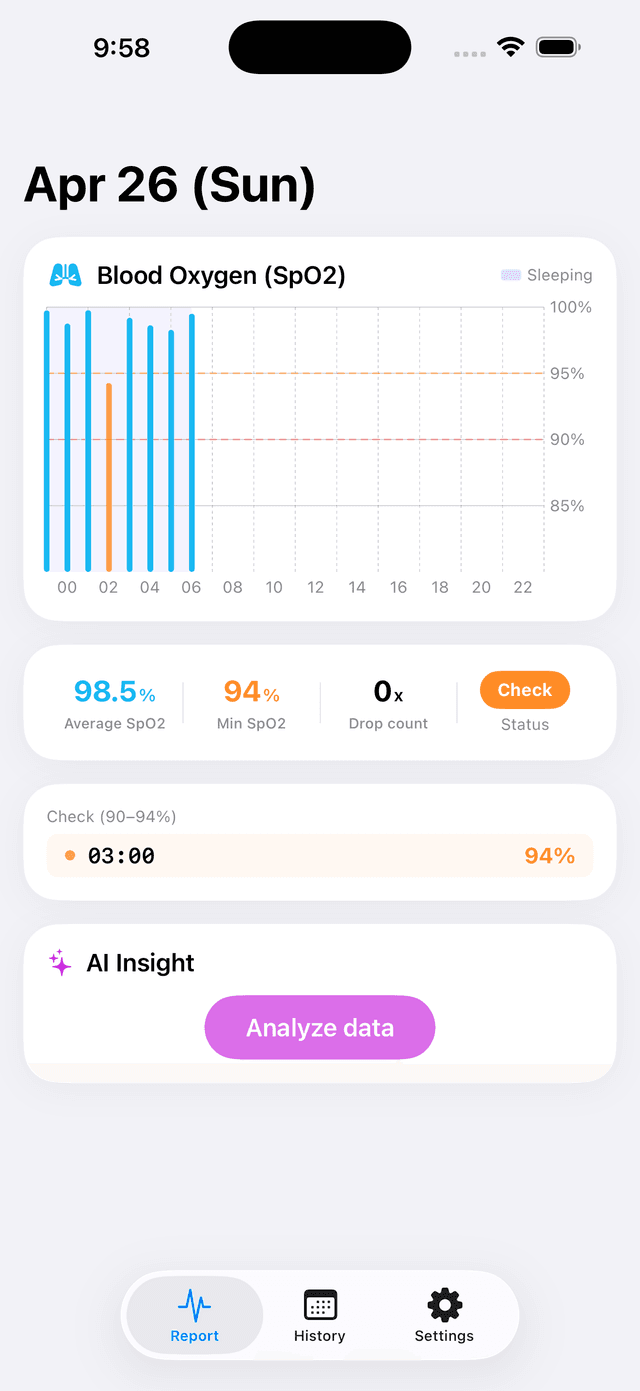
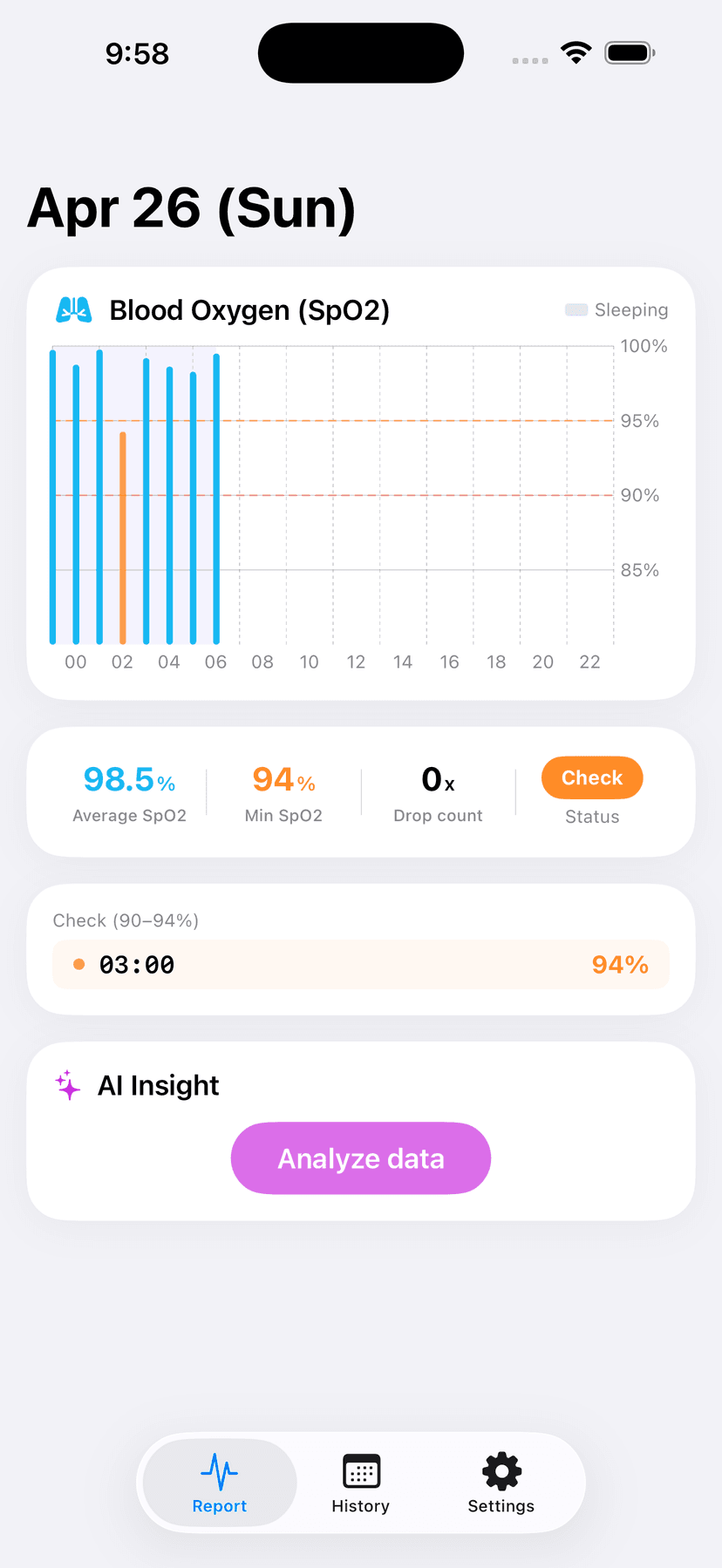
Daily SpO2 Report
See last night's blood oxygen at a glance.
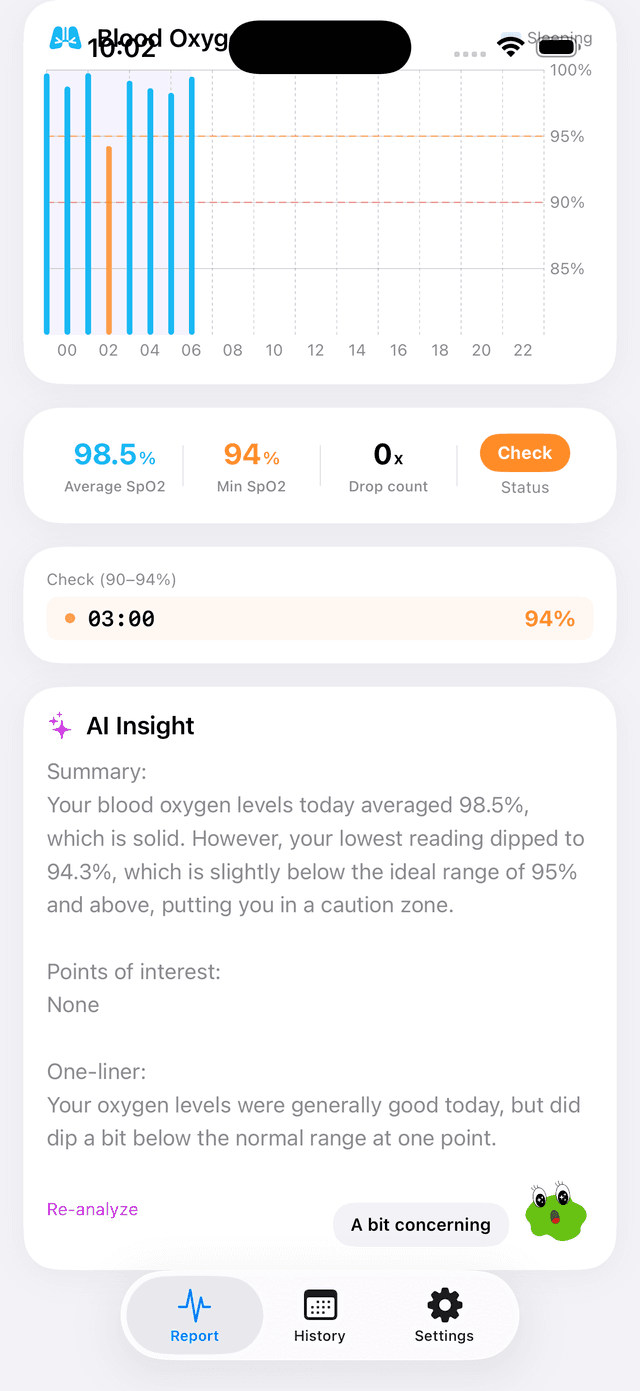
AI Insights
Plain-language explanations of your data.
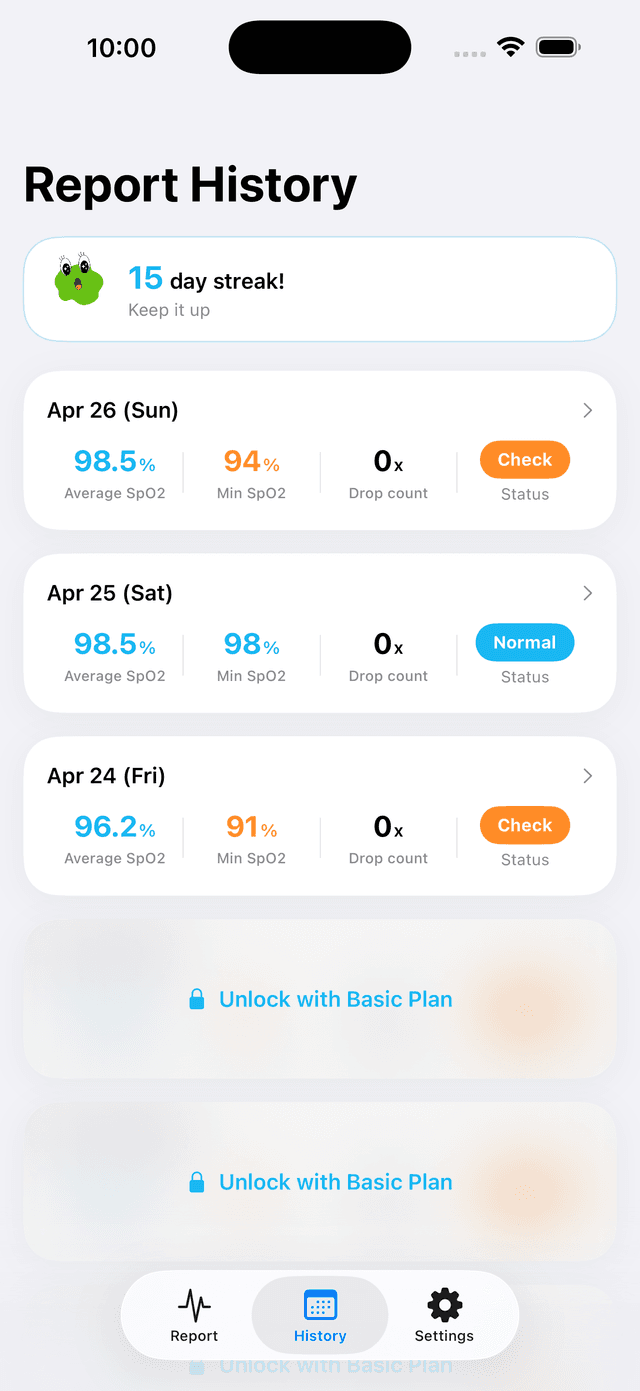
SpO2 History
Browse past reports and track your baseline.
Features
Daily SpO2 Report
Every morning, get a summary of your previous night's blood oxygen — rated Normal, Check, or Alert. No manual tracking needed.
SpO2 Graph
View your blood oxygen as a time-series chart. Spot exactly when drops occurred and how often.
AI Insights
Sanso sends your SpO2 stats to an AI and returns a plain-language explanation. No medical background needed to understand your own data.
SpO2 History
Browse past reports by date. The longer you use Sanso, the clearer your personal baseline becomes.
How it works
The moment you install Sanso, your Apple Watch's past SpO2 data
is already there — no setup period required.
Install the app
Download from the App Store.
Connect Apple Health
One tap at first launch. That's it.
Check every morning
Your nightly SpO2 report is waiting.
Supported devices
Sanso uses your Apple Watch's blood oxygen sensor.
The following models are supported.
Supported
- Apple Watch Series 6, 7, 8, 9, 10
- Apple Watch Ultra, Ultra 2
Not supported
- Apple Watch Series 5 and earlier
- Apple Watch SE (1st & 2nd generation)
* Some Apple Watch Series 9 and Ultra 2 models sold in the US after January 2024 have the blood oxygen feature disabled due to the Masimo patent dispute. Sanso requires a model with the blood oxygen feature enabled.
Pricing
Try Sanso free — today's and yesterday's SpO2 reports are always free.
FREE
$0
- ・Today & yesterday's SpO2 report
- ・Basic graphs & stats
- ・Daily morning notifications
PRO
$4.99/mo
Cancel anytime
- ・Everything in Free
- ・Access to past reports
- ・Long-term trend analysis
- ・AI Insights
Why I built this

For over 10 years, I woke up exhausted every morning. Tired all day. Brain fog that wouldn't lift. I told myself it was work stress, or just getting older. I never saw a doctor.
One day, I randomly opened Apple Health and found a buried menu item: "Blood Oxygen." I tapped it. My SpO2 had been dropping repeatedly every single night while I slept.
I went to a doctor. Turned out I had sleep apnea. After treatment, the morning exhaustion vanished overnight. Ten years. My oxygen had been low the whole time.
But I only found out by accident. My Apple Watch had been recording the data all along — it was just buried three taps deep, invisible unless you went looking for it.
So I built Sanso.
To make that data visible without having to go looking for it.
So you don't have to get lucky to notice something's wrong.
Is your oxygen enough?
Available now on the App Store.
If you have an Apple Watch, you can start today.
Sanso is a wellness app, not a medical device. It is not intended to diagnose, treat, or screen for any medical condition.
If you notice concerning patterns in your data, please consult a healthcare professional.